What makes this file tricky
A printed PDF may contain several sizes on top of each other. Pick one layer so the cutting pieces stay separate in the CAD output.
Choose one size from a layered one-sheet PDF and export separate cutting pieces at millimetre scale.
Free preview US$8 per pattern export
Files stay on your device. No account needed.
Layered PDFInput format
DXF AAMAOutput format
Local processingFiles stay in your browser
A printed PDF may contain several sizes on top of each other. Pick one layer so the cutting pieces stay separate in the CAD output.
Uses closed outlines from a named size layer on one unrotated vector PDF. Shared grainline and notch layers are supported. Curves are sampled into DXF polylines.
Open the full-size, single-sheet vector pattern PDF.
Enter the exact size layer name and check the resulting pieces and marks.
Save the AAMA DXF, choose millimetres on import, and check scale before cutting.
Try a sample or open your own files. The preview runs in this browser.
Choose a file or try the sample to see the result here.
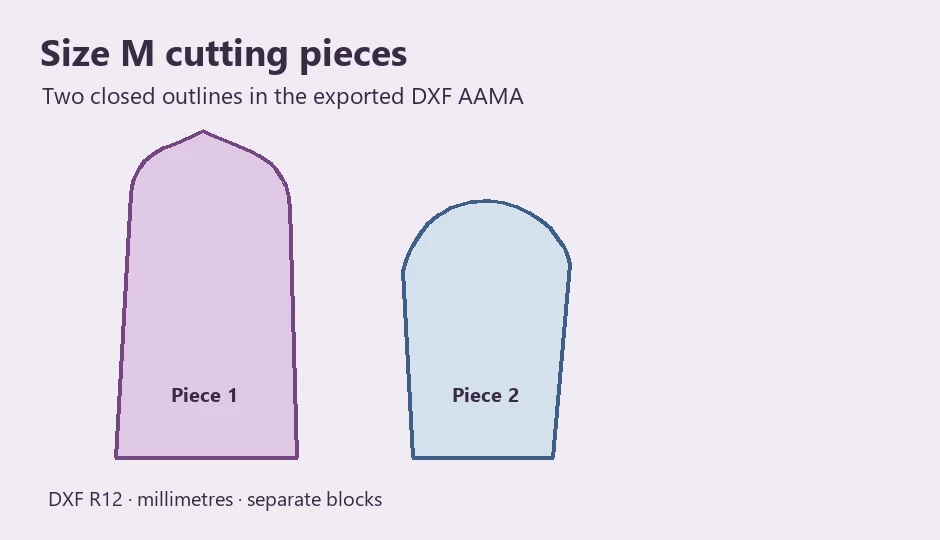
The studio sample produces two cutting pieces with two grainlines and two notch points. The DXF preserves drawing scale in millimetres.
| Tool | What it does |
|---|---|
| Pattern DXF | The studio sample produces two cutting pieces with two grainlines and two notch points. The DXF preserves drawing scale in millimetres. |
| Apparel Pattern Service | Paid pattern conversion by a service provider. |
| CLO | Import DXF patterns and edit the pieces in a garment CAD application. |
The links describe each alternative's documented workflow.
$0
Open a sample or your own files and inspect the result before deciding whether to export.
US$8 per pattern export
Pay once to download the full result shown in your preview.
Already paid? Restore your purchase.
Use the single-sheet vector copy-shop PDF with named size layers. Scans and tiled print-at-home files need their source pattern.
Enter the layer name as it appears in your PDF viewer. The built-in sample uses S, M and L.
Curves become polylines. Inspect the preview and confirm the scale and shape in your CAD tool.
One export contains the selected size. Repeat the export for a different size.
The preview is free. Each pattern export is US$8, charged once at download.
Your files are processed in your browser. Stripe handles checkout separately.
No account is needed. Complete Stripe Checkout and return to this browser to download the result.
Open this tool in the same browser and select Restore purchase. Prepared exports are kept locally for up to seven days.
Follow the workflow and check the formats the tool supports.
See what stays in the browser and what Stripe receives at checkout.
Find out how to recover a purchase and which details to keep.
Open the tool and preview the result for free.